What Is a Todo List App?
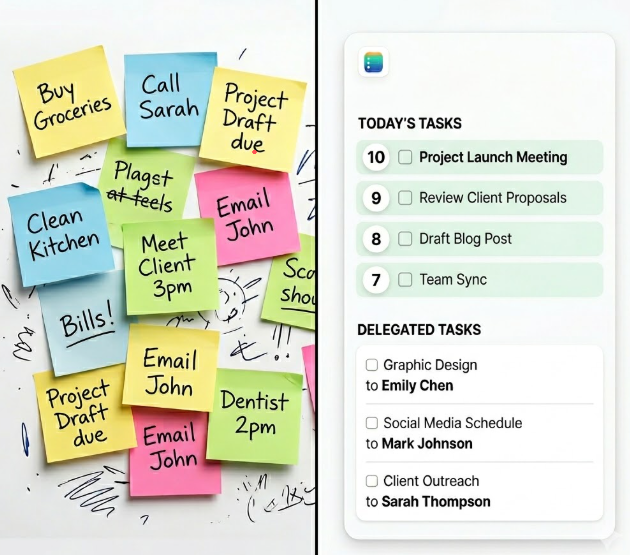
What Is a Todo App?
A Todo app is a tool that helps you decide what to do, when to do it, and what actually matters.
That’s the simple definition of a Todo app.
Most Todo apps just store tasks.
But the real job of a Todo app is not storage.
It’s removing thinking and helping you take action.
What Is a Todo App (Simple Answer)
A Todo app is a tool that helps you organize tasks, prioritize what matters, and decide what to work on each day without confusion.
The Problem With Most Todo Apps
Most apps give you a blank space and say:
“Add your tasks.”
So you do.
You dump everything in.
Now you have a long list.
And now you’re stuck again.
What should you do first?
What matters today?
What can wait?
So instead of saving time, the app creates more decisions.
More thinking.
More friction.
That’s why people stop using them.
Why I Care About This
I didn’t build or use a Todo app because I love productivity tools.
I did it because I was overwhelmed.
Too many tasks.
Too many ideas.
Too many decisions every day.
And every time I opened a typical Todo app, it made it worse.
It didn’t guide me.
It didn’t simplify anything.
It just showed me everything.
That’s when I realized:
The problem isn’t managing tasks.
The problem is deciding.
What a Todo App Should Actually Do
A real Todo app should do 4 things:
Help you prioritize tasks
Help you focus
Help you delegate (if you have a team)
Help you decide what happens today
That’s it.
If it doesn’t do that, it’s just a digital notebook.
Types of Todo Apps
Simple task list apps (basic reminders)
Team task management apps (collaboration + delegation)
AI Todo apps (auto-prioritization and planning)
Calendar-based task apps (time-blocking focus)
Benefits of a Todo App
Less mental clutter
Clear daily focus
Better prioritization
Faster decision-making
Higher task completion
What It should Do Differently
The goal is simple:
Reduce thinking as much as possible.
Instead of asking you to organize everything manually, the system helps you:
Prioritize tasks automatically
Assign them to the right day
Delegate when needed
Keep your focus on a few important actions
You don’t open the app and think.
You open the app and act.
A Real Example
One thing that works really well:
Assigning themes to your days.
For example:
Monday = Sales
Tuesday = Marketing
Wednesday = Operations
Now you don’t wake up and ask:
“What should I work on today?”
It’s already decided.
The app supports that structure.
So instead of reacting to everything, you stay focused on what matters.
How to Choose a Todo App
Look for one thing:
Does it reduce thinking?
If yes, it works.
If no, it will become another list you ignore.
How to Measure If It’s Working
Don’t look at how many tasks you complete.
That’s a trap.
Look at one thing:
Did I complete the important tasks?
If yes, the system is working.
If not, something is off.
Simple.
If You Think This Won’t Work
A lot of business owners think:
“A simple app won’t fix my productivity.”
They’re wrong.
Complexity is the problem.
Not the solution.
If your system requires too much thinking, you won’t use it.
And if you don’t use it, it doesn’t matter how powerful it is.
The Only Habit That Matters
There’s one thing that makes all of this work:
Open your Todo every day.
That’s it.
If you don’t open it, nothing else matters.
If you do, everything becomes easier.
Where to Start
If you’re new to Todo apps, don’t overcomplicate it.
Start here:
Add your tasks
Let the system organize them
Focus on what’s assigned for today
That’s all you need.
Don’t try to build the perfect system.
Just build the habit.
Final Thought
A Todo app is not about tracking everything you could do.
It’s about helping you do what actually matters.
Less thinking.
More doing.
That’s the whole point.
Try It
If you want a Todo app that actually reduces thinking instead of adding it, try Top10Q.
It’s built around one idea: make your day obvious, not overwhelming.
👉 https://top10q.app